Level Up Your Code: Automated Testing, CI/CD, and Robust Practices
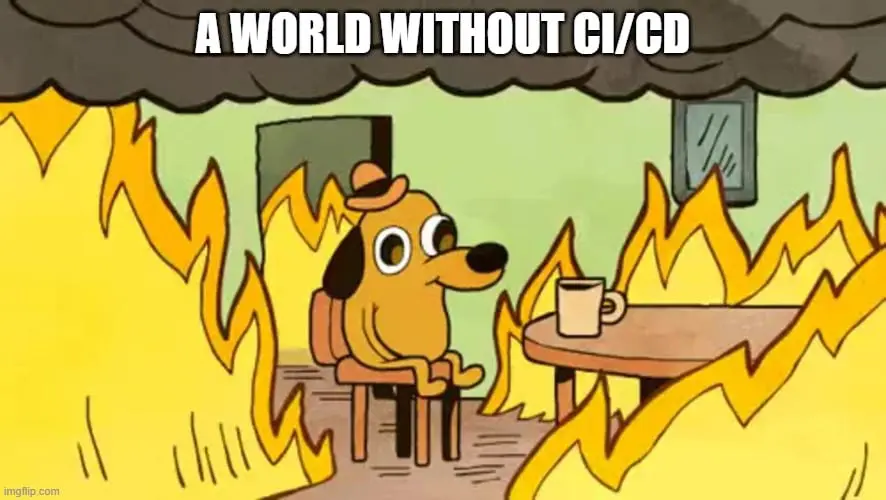
So, you've mastered the art of the atomic commit, your Git history is a thing of beauty, and your projects are so well-structured and documented that anyone (even your future self!) can pick them up and run them. Fantastic! These are crucial foundations for any serious developer (and not only them... data scientists😊). But what's next on the journey to truly robust, professional-grade software?
Enter automated testing, Continuous Integration/Continuous Delivery (CI/CD), and a continued focus on code clarity through practices like logging and exception handling.
If your previous steps were about creating a solid, understandable blueprint, then these next practices are about building a rigorous, automated quality control and assembly line, while also ensuring your code communicates effectively when things go awry. They help ensure that what you build works as expected, continues to work as you make changes, gets into the hands of users smoothly, and is diagnosable when issues arise.
Let's break down what these are and why they're game-changers.
Why Bother Testing? (And Other Pillars of Quality)
We all manually check if our code works, right? A quick run, a click here and there. That's testing, but it's slow, prone to human error, and easily forgotten, especially under pressure.
Software testing is the process of evaluating a software application to ensure it meets the specified requirements and to identify any defects. The goal is to ensure quality.
P.S. Testing can actually be fun! (Well, I mean, there's definitely a better definition of "fun" actually, but it is critical!)
Automated testing is where things get really powerful. It involves writing code to test your actual application code.
Why is automated testing crucial?
- Catch Bugs Early (and Cheaply): Finding a bug during development is far less costly and stressful than finding it in production.
- Confidence to Refactor and Add Features: When you have a good suite of automated tests, you can make changes to your codebase with much greater confidence.
- Living Documentation: Well-written tests describe how your code is supposed to behave.
- Improved Design: Thinking about how to test your code often leads to better, more modular designs.
Types of Automated Tests (A Quick Overview):
- Unit Tests: Test the smallest pieces of code in isolation (e.g., a Python function or class method).
- Integration Tests: Check how different parts of your system work together.
- End-to-End (E2E) Tests: Simulate real user scenarios from start to finish.
Starting with unit tests is often the easiest way. For Python, tools like pytest are incredibly popular.
Beyond Tests: Essential Habits for Understandable and Debuggable Code
While automated tests are vital for verifying correctness, other practices are essential for making your code understandable and easier to debug when the unexpected occurs.
1. The Power of Good Logging:
Imagine your application is running, perhaps on a server or another user's machine, and something isn't working as expected. How do you find out what's going on? This is where logging shines.
Logging is the practice of recording events, errors, and other important information as your code executes. Instead of just print() statements (which often get lost or removed), a structured logging approach offers:
- Context: Timestamps, severity levels (DEBUG, INFO, WARNING, ERROR, CRITICAL), and module names help you understand what happened, when, and where.
- Debuggability: In development and especially in production, logs are often the first place you look to diagnose issues. Good logs can tell you the state of the application leading up to an error.
- Understanding for Others (and Future You): Well-placed log messages can help anyone (including yourself months later) understand the flow of execution and important events within the application.
- Configurability: Python's built-in
loggingmodule allows you to configure log output to files, the console, or even send logs to external services, and you can adjust the level of detail without changing your code.
2. Robust Exception Handling: Knowing When Things Go Wrong (and How to Respond Gracefully)
Code doesn't always run perfectly. Network connections drop, files might be missing, user input can be unpredictable. If something unwanted or unexpected happens, how will your application react? Will it crash cryptically, or will it handle the situation gracefully and inform you (or the user) appropriately?
Solid exception handling is key:
- Catch Specific Exceptions: Instead of a blanket
try...except Exception:, catch more specific exceptions (e.g.,try...except FileNotFoundError:,try...except ValueError:). This allows you to handle different errors in different ways. - Don't Silence Errors: Avoid empty
except:blocks orexcept: pass. If you catch an exception, you should generally log it, and then either handle it (e.g., by returning a default value, retrying an operation) or re-raise it if your current code can't properly deal with it. - Informative Error Messages: When an error occurs that the user or a developer needs to know about, ensure the message is clear and provides context.
- Clean Up Resources: Use
try...finallyblocks to ensure that resources like file handles or network connections are closed, even if an error occurs.
The goal is to fail fast, fail gracefully, and provide enough information (through logs and clear error messages) to understand and fix the problem.
What's This CI/CD Magic?
Continuous Integration (CI) and Continuous Delivery/Deployment (CD) are practices that automate the building, testing, and deployment of your software.
Continuous Integration (CI):
Every time you push code to your shared repository, a process automatically:
- Builds your application.
- Runs linters, formatters, and your automated tests.
- Reports the results.
Benefits of CI: Early bug detection, reduced integration problems, and an always-testable build.
Continuous Delivery (CD):
Code changes are automatically built, tested, and prepared for a release to production.
Continuous Deployment (also CD):
Every change that passes all pipeline stages is released to customers automatically.
Benefits of CD: Faster, less risky, and more reliable releases.
Linters, Formatters, Testing, and CI/CD: A Symphony of Quality
Automated tests are the backbone, but linters and formatters play a crucial supporting role, especially within a CI/CD pipeline.
Linters (like Flake8 for Python): These tools analyze your code for programmatic and stylistic errors, potential bugs, and code smells. Running a linter in your CI pipeline ensures that code adheres to standards before it even gets to deeper testing.
Formatters (like Black or Ruff which also includes a very fast linter): These automatically reformat your code to ensure a consistent style across the entire project. This reduces cognitive load when reading code and prevents style-based arguments in code reviews. Black is known as "The Uncompromising Code Formatter." Ruff is an extremely fast Python linter and formatter, written in Rust, and can often replace Flake8, isort, and even Black for many use cases.
Test Automation Tools (like tox): While not just a linter, tox is a fantastic tool for Python projects to automate testing in different environments (e.g., different Python versions). You can configure tox to run your linters, formatters, and your test suite (pytest, unittest) all with a single command. This makes it easy for developers to run all checks locally and is perfect for CI servers too.
How they work together in a CI pipeline:
- You push your code.
- The CI server detects the change.
- Linting/Formatting Check: It runs
flake8(orruff) andblack --check(orruff format --check). If there are issues, the pipeline can fail fast. - Build & Test: It builds your application and then runs your automated tests (e.g., via
toxor directly usingpytest). - If all steps pass, the pipeline proceeds (e.g., packaging, deploying).
This layered approach catches different types of issues at different stages, providing rapid feedback.
Getting Started: Your Roadmap
- Embrace Logging & Exception Handling: From day one on new projects (and refactor into old ones), think about what information would be useful if something went wrong. Implement basic logging and robust
try-exceptblocks. - Write Your First Test: Pick a simple function. Learn
pytest. Write a unit test. - Test New Code & Add Linters: Make it a habit to write tests for new code. Add
flake8andblack(orruff) to your development workflow. Consider using pre-commit hooks to run them automatically. - Set up
tox: If you're in Python, configuretox.inito run your linters, formatters, and tests. - Choose a CI Tool: GitHub Actions (if on GitHub), GitLab CI/CD (if on GitLab), or Jenkins.
- Create a Basic CI Pipeline:
- Trigger on push/merge.
- Install dependencies.
- Run your
toxcommand (or individual linting, formatting, and test commands).
- Iterate and Expand: Increase test coverage. Explore Continuous Delivery.
The Payoff: Better Code, Happier You
Embracing these practices is an investment. But the payoff is immense: higher quality software, faster development cycles, less time spent on painful debugging and deployments, and ultimately, more confidence and satisfaction in your work.
You've already built a great foundation. These next steps will truly elevate your development game.